Prove the human behind every login.
Circle ID replaces passwords with a quick scan from your phone. There's no password in the system, so there's nothing to phish or steal.
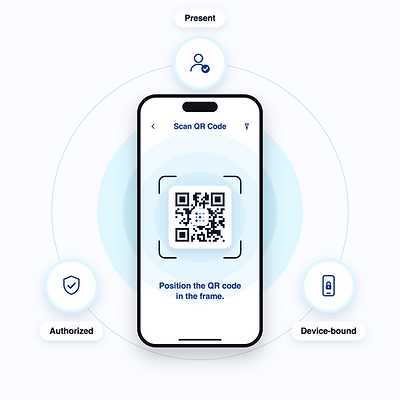
One scan. That's the login.
- 1
A code appears
A QR code shows up on the login screen, in place of the password box.
- 2
Scan it with Circle ID
Open the app on your phone and scan the code.
- 3
You're in
The code is a one-time challenge only your phone can answer. Nothing reusable ever crosses the wire.
Nothing to steal. Nothing to guess.
Plenty of "passwordless" tools still keep a secret stored somewhere underneath. Circle doesn't keep one in reserve, so attackers have nothing to phish and nothing to take.
Nothing to rip out.
Circle ID sits on top of the identity provider you already use, through standard protocols like SAML and OIDC. Your users, groups, and policies stay right where they are.
Sits on top of
Works across
The security key they never leave at home.
Circle Key brings the same scan-based login to the apps your people use every day. One scan signs them in, no password required.
Circle Key
Join your organization
Turn on the extension
Scan to sign in
For admins
Circle Key comes with Circle ID at no extra cost. Turn it on for the people who want it.
For people with hardware keys
Use the key you already carry. Circle Key works with your existing FIDO2-compatible security key.
Ready to retire the password?
We'll walk you through a real Circle ID login and show how it fits with your identity provider.